
My account

iShowU HD Pro

Real time screen recording for your Mac

  • Leopard
  • Snow Leopard
  • Lion
  • “simple screen recording solution with instant file output, no waiting time at all”
    MacAppZone.com
  • “Blazing real-time performance”
    bonsai-studio.net
  • “lots of appreciated polish”
    arstechnica.com
  • “iShowU HD and Pro are impressive”
    arstechnica.com
  • “supports a ton of compression formats”
    macapps.net
  • “boasts a laundry list of features”
    macapps.net
  • "I recently upgraded to iShowU HD Pro and couldn't be happier."
    Eric Rier, Fat Free Interactive

Let the pictures do the talking

Want to capture everything on your screen? 3d games bogging down ordinary screen capture software? Those days are over: welcome to iShowU HD. Built for speed. Built to “just work”…

iShowU HD has been rebuilt from the ground up to provide blazing real-time performance with a brand new, easy-to-use interface. With professional features like drag-and-drop to Final Cut and multi-channel audio capture just a single click away, iShowU HD has all the power you’ll ever need at a price you can deal with.

iShowU HD Pro Features

Instant Capture

Instant Capture

No need to export the video for it to be usable1. Once recording is complete you can immediately email it, or drag it into a video editor for further editing.

1 Excludes low CPU mode

Record Keyboard & Mouse

Record Keyboard & Mouse

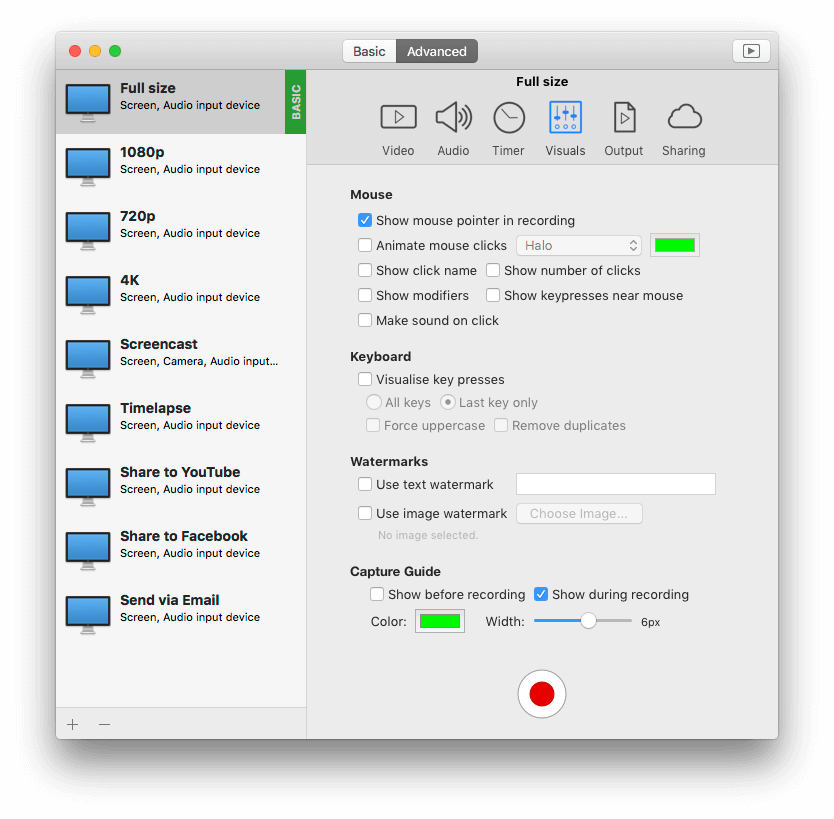
Show your viewers the keys you’re using to perform tasks (HD Pro only). Identify when you’re clicking the mouse by using a mouse action.

Record from iSight & DV cameras

Record from iSight & DV cameras

Personalize your presentation using your built-in iSight camera, or indeed any connected camera!

Real-time Preview

Real-time Preview

Use any picture or image as a watermark by dragging it directly onto the preview. (HD Pro only)

Upload to YouTube / Blip.TV

Upload to YouTube / Blip.TV

Upload your finished product directly to YouTube or Blip.TV2. Built-in presets to get the best quality.

2 Add upload functionality to your site. See the Upload API documentation.

Efficient

Efficient

Know you’re about to capture a CPU intensive app? Engage low CPU usage mode and let iShowU HD Pro perform the grunt work of compression later on. (HD Pro only)

Supports Pro Apps

Supports Pro Apps

Includes built-in presets for Final Cut. Finished recordings can be dragged directly from iShowU HD into the timeline. (HD Pro only)

Real-time super fast scaling

Real-time super fast scaling

Want to record at half the size? 2560×1900 into 720p? Now it’s no longer a problem – iShowU HD has realtime super quick GPU scaling.

Screenshots

  • iShowU HD Pro screenshot - Camera overlay

    iShowU HD Pro screenshot - Camera overlay

    Include a camera overlay in realtime - position it where you want simply by dragging it about in the preview window. Border color and thickness can be changed at will.

  • iShowU HD Choosing Capture Area screenshot

    iShowU HD Choosing Capture Area screenshot

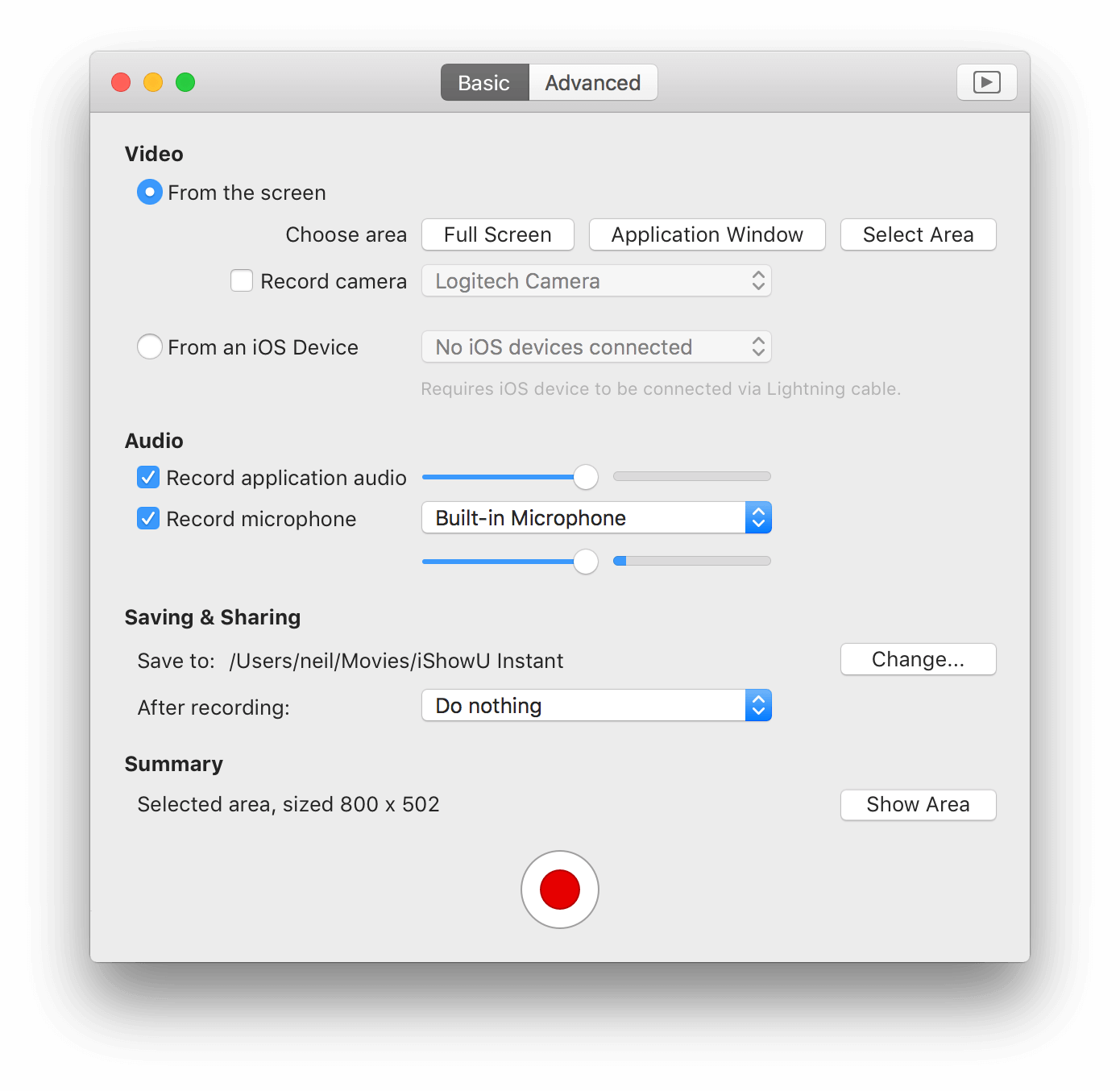
    Easily change the capture area. Either point at a window, or drag a rectangle around the area you want to capture.

  • iShowU HD screenshot

    iShowU HD screenshot

    Realtime capture and on the fly GPU scaling. Nothing is faster than iShowU HD Pro. Multi track audio recording, GPU video scaling, watermarking and camera overlays.

  • iShowU HD keystroke recording screenshot

    iShowU HD keystroke recording screenshot

    Make your presentations clearer by recording keystrokes and mouse clicks (mouse click animations not shown in above image). Mouse click animation color can be customized.

Comparison

iShowU HD HD Pro
Realtime capture Yes Yes Yes
Pause/Resume Yes Yes Yes
Follow Mouse Yes Yes Yes
Record microphone audio Yes Yes Yes
Record system audio Yes Yes Yes
Custom presets Yes Yes Yes
On the fly GPU scaling No Yes Yes
Custom backgrounds No Yes Yes
iSight/Webcam support No Yes Yes
Automatically detects and scales full screen apps1 No Yes Yes
Upload to web2 No Yes Yes
Embed watermarks No No Yes
Record Keystrokes No No Yes
Support for all CoreAudio inputs3 No No Yes
Specific support for Final Cut Express/Pro4 No No Yes
Low CPU usage mode No No Yes

1 Keynote, Worlds of Warcraft, etc. iShowU HD will automatically capture the full screen when an application itself goes “full screen”.

2 YouTube, Blip.TV and Howcast built-in.

3 Multi Channel Mixer. HD Pro lets you capture every audio channel independently (so if you want to remix just one later, that is possible).

4 In general, Final Cut prefers video with no “skipped frames”. iShowU HD Pro lets you specify whether or not gaps in a recording should be filled or expanded to fill the correct frame duration.

Upload scripting

It’s extensible

iShowU HD isn’t just limited to YouTube. We’ve included the ability for users to add further scripts with the intention of folding popular scripts into the product.

This page will provide a brief overview of the kinds of tasks required in order to create a new upload script.

For further information, we recommend going to the forums (there’s a specific forum for upload script development).

More detail

For the YouTube uploader, we chose Python for implementation. This is because it has a wide variety of third party classes available for various connection oriented tasks. Also, Dave likes Python :-)

iShowU HD presume that the script follows a certain “interface”.

iShowU HD (the UI) will call the script (the various —list-xxx commands) to gather information such as the media categories and what options are required / supported by the service being uploaded to.

There is further documentation available that describes the expected inputs and outputs to the script. Please read this to see what is expected.

Installation is a matter of placing two files in a known directory location. One being an image and the other the script. iShowU HD will automatically discover services when it starts.

To watch a video on how to implement a script, please visit this page.

$ ./isuhd-youtube-upload.py --help
Usage: isuhd-youtube-upload.py [options] file
Options:
  -h, --help            show this help message and exit
  -u USERNAME, --username=USERNAME
                        The account to upload to
  -p PASSWORD, --password=PASSWORD
                        The account's password
  -z DEVKEY, --devkey=DEVKEY
                        The Developer Key
  -t TITLE, --title=TITLE
                        The movie's 'as displayed' title
  -c CATEGORY, --category=CATEGORY
                        The short form category
  -d DESCRIPTION, --description=DESCRIPTION
                        A text description (in quotes) for the movie
  -k KEYWORDS, --keyword=KEYWORDS
                        Add a keyword, feel free to call multiple times
  --list-requirements   List required parameters
  --list-options        List optional parameters
  --list-categories=LIST_CATEGORIES_LANGUAGE
                        List available categories (pass locale - i.e. en-US)

Changelog

2.2.9(24 January 2012)(beta version)

  • Fixes

    • Fixed potential crash under 10.5.8 when resizing the main window.

2.2.8(11 January 2012)

  • Fixes

    • Fixed issue with AppleScript integration where specifying a relative filename wouldn't work.
    • Fixed issue on machines with internal speakers whereby HD (under Lion) would often set the output to "Internal Speakers" instead of Line-Out (or Digital Out).

2.2.7(07 November 2011)

  • Fixes

    • Build 1317+:
      • Temporarily removed the option to monitor mic audio as it's causing a crash under Lion. It'll be re-enabled once the reason is found, and the problem is fixed.
    • Build 1315+:
      • Bumped revision number to be same as iTunes AppStore version.
    • Build 1305+:
      • Fixed crash when trying to record ProRes on Lion (when the machine didn't have FCP/X installed).
      • Fixed hang when updating. Fix will work for subsequent updates.
    • Build 1290+:
      • Fixed small memory leak.
      • Bumped revision number to be same as iTunes AppStore version.

2.2.6(27 October 2011)

  • Fixes

    • Build 1305+:
      • Fixed crash when trying to record ProRes on Lion (when the machine didn't have FCP/X installed).
      • Fixed hang when updating. Fix will work for subsequent updates.
    • Build 1290+:
      • Fixed small memory leak.

2.2.5(11 October 2011)

  • Fixes

    • Build 1282+:
      • Fixed issue on some machines where you could not stop the recording.
    • Build 1275+:
      • Fixed crash when deleting a value in the 'set size' dialogs (from the capture/output gear menus).
    • Build 1269+:
      • Fixed record failure under Lion when single channel device (e.g: USB mic) was used.
    • Build 1264+:
      • Fixed up smoothness of 'follow mouse mode' under Lion.
    • Build 1259+:
      • Fixed Frame durations corrected under Snow Leopard. This resolves the issue whereby QuickTime would show a variable rate even though variable frame durations was unchecked.
      • Fixed Frame durations now available under Lion.
      • Fixed a crash bug when SF2ch was not installed.
      • Updated the manual.
    • Build 1240+:
      • ProRes now available under Lion.
      • Modified frame quantization for 23.98 and 29.97. If variable frame durations are turned off then frame quantization is now enabled.
      • Tidied up the ProRes presets and reduced to a handful of 23.98 and 29.97 variants.
    • Build 1237: Fixed default sound output being set incorrectly (Lion only)
    • Build 1227: New capture implementation for Lion. Read the gory details.
    • Build 1197: Fixed crash when stopping recording (read more)
    • Build 1196: Fixed "unable to stop recording".
    • Build 1103: Fixed "speed" issues with 23.98fps recording (it'd play back about 10x speed).
    • Build 1092: Thanks to Joseph Linaschke for persisting and helping me find a bug causing crashes during retakes / multiple in-a-row recordings. If he were in Wgtn NZ, I'd buy him a beer :).
    • Build 1088: Additional performance improvements to preview.
    • Build 1086: Complete re-write of the Lion capture engine with a focus on performance and stability. Read more here.
      • Color correction now enabled under Lion
      • Much better performance
      • Various stability fixes.
    • Build 1056: A number of stability improvements.
    • Capture of subrects (i.e: not the full screen) now quicker on the main display (the display with the Dock).
    • Fixed memory leak under Lion when using a movable capture area (this could cause crashing).

2.2.4(23 July 2011)

  • Fixes

    • 1020+: Fixed crash in Lion when deleting a recording.
    • 1018+: Additional stability improvements.
    • 1014+: Fixed bug causing crash when switching screen resolutions.
    • 1011+: Lion Specific: Fixed QuickLook. Fixed sync of audio with frames.
    • 994+: Fixed regression on multi-display configurations.
    • 988+: Fixes to texture manager (fixing crash bugs).
    • 986+: Fixed up a thread leak.
    • 985+: Fixed up a crash that'd sometimes happen with the new resource manager.
  • Changes

    • There's a new option to enable quantizing of frames to exact boundaries. This was the previous default behavior and was there primarily for FCP7 compatibility. By default it's off, but can be enabled in General iShowU HD Preferences.
    • Capture guide auto hides (if it's movable) when using Lion.
    • We figured out how to manipulate the space-time continuum and have made the UI significantly more responsive.
    • Fixed an evil memory leak (symptoms were: 'slows down after about 2.5hrs recording'). The world is now a better place.

2.2.3(04 June 2011)

  • Fixes

    • 951+ Better use of GPU texture memory (fixes issues working on older G5 machines).
    • 950+ Fixed bug whereby selection of an area on a secondary monitor would come out white.
    • 948+ Fixed a big memory leak!
    • Fix a potential crash situation under 10.5.8.
    • Improved the recovery dialog.
    • Better management and locking of resources within screen grabber.
  • Changes

    • You can now hide recordings within One Click Publishing. This means the recording will not be shown in the index, and that only people knowing it's URL can access it.

2.2.2(05 June 2011)

  • Fixes

    • Build 909+: Fixed crashes (sorry about that).
    • Build 905+: Fixed mouse not appearing.
    • Fix for camera sometimes not appearing in recorded video.
    • Initial support for OS X 10.7 (Lion). Caveat: This is still a development in progress.
    • Fixed some memory leaks.

2.2.1(16 May 2011)

  • Fixes

    • Additional stability improvements.
    • We have reworked the underlying frameworks that make up the base of our products, due to these new frameworks / reorganizations - all localizations have been temporarily removed. We will be working with our localizers to being complete localizations in future releases. We didn't want to have half-baked localizations, and so decided it'd be better to remove them temporarily. Watch this space!

2.2.0(09 May 2011)

  • Fixes

    • A number of stability improvements.
    • Fixed a bug causing iShowU to crash sometimes during resume of movies.
    • Fixed bug where sometimes the background QT process wouldn't start up, so thumbnailing would not occur.
    • Fixed a bug whereby the UI would appear to hang if you deleted a recording mid-resume.
    • Additional fix to resume that was causing a crash in some edge cases.
    • Fixed bug where you could not ctrl-drag the movie link from iShowU immediately after publishing. Now as soon as the link appears, you can.
    • Fixed artifacts that could appear in Low CPU mode if the capture area was set to Fixed and exactly the same size as the underlying area being updated (case in point: capturing the inside area of the iOS simulator).
    • Fixed choppy capture - rate smoothing is now ... smooth!
    • Fixed regression where the upload progress bar wouldn't go away after the upload completed.
    • Fixed issue where a capture could sometimes not be stopped.
    • A number of performance and stability enhancements (background QT server). Getting ready for 2.2.0 release.
    • Fixed issue that could cause a crash on startup.
    • Fixed performance issue with 70+ items in the recordings view.
    • The recording of Keyboard keystrokes is more sensible, and has options to record mouse clicks and also further/expanded control/modifier keys.
    • Fixed regression whereby presets were not created on new install.
    • Fixed issue with smart naming of recordings under Leopard.
    • Fixed issue with publishing names and naming of files under Leopard.
    • Finally found and fixed the bug causing HD to crash when you unplug devices (USB mics, etc).
    • Fixed various problems/regressions under 10.5.8 (especially related to PPC machines).
    • Fixed muxing of audio into 2ch (for various upload services).
    • Fixed Drag&Drop into the Sequence panel for Final Cut. If this is a problem for you, please go into General prefs for iShowU and disable the "Allow Control+Drag for movies" option.
    • Now saves presets on Quit (regression).
    • OCP fix - the correct URL is now available for dragging from the OCP manager if you change the title before the upload is complete.
    • Preset editor column sorting now stored, and correct default applied.
    • Resolved issue (2nd time) with warning message ("no active renderers") when waking from sleep.
    • Fixed issues with Preset Editor (headers now sort correctly, duplication of presets now also copies video settings).
    • Resolved a number of issues that could cause crashes.
    • Major Thumbnail Rewrite: Due to excessive instability with QuickTime, the thumbnailer has been removed and put into another process.
    • Fixed issue where resizing the window while recording could sometimes cause the recording to stop (especially noticeable in 10.5).
    • Fixed bug in countdown timer that could cause a crash if you did a retake while counting down.
    • Undo now works for deleting watermarks.
    • Resolving issues related to the preview, switching between screens, and changing monitor configurations.
    • Fixed the Presets editor so it doesn't do "weird stuff" when duplicating presets, and renaming presets.
    • Additional safety and locking in Recording layers and Media Checkpointer.
    • Added additional safety to the MouseCompositor, addressing issues with changing mouse cursors in CS5 (again, I don't have CS5 so cannot test).
    • Placed additional locking around audio shutdown (hopefully fixes issues with MOTU devices - I don't have one so I can't verify).
    • Fixes to QuickLook under Snow Leopard.
    • Fixed issue in Disk Stage of Low CPU mode.
    • Fixed bug starting HD on 10.5.x systems that'd cause a failure upon startup.
    • Further locking fixes within audio, and some further tidy up's after thumbnailing.
    • Cleanups in the thumbnail renderer, lots of additional locking, much work around making capture lifecycle more robust.
    • Fixing registration system.
    • Fixed a serious problem that could cause out of memory errors and bad recordings.
    • Fixed the problem where compressing would never end.
    • Fixed color correction for Low CPU recordings.
    • Fixed recording in mono, so that it works correctly with other (non QT) players and also when uploaded to YouTube.
    • Sound recording is now more resilient if the sound source is interrupted often (as can be the case with digital inputs). A side effect is that recording will be more resilient under wider load situations.
    • Fixed issue with audio where devices with different sample rates could result in glitches when recording.
  • Changes

    • Allow a user to change their One-Click publishing name (via the Menu in the OCP manager).
    • Easily edit the title/description when publishing. Enabled by default, can be turned off in prefs.
    • The recording list of HD and that of the One Click Publishing management window are now synchronized by default.
    • One-Click Publishing (Learn more here).
    • By default, movies are now named according to the window / document that you hover over most during recording.
    • Upgrades to registration system.
    • Capture is now automatically paused / resumed when the machine is put to sleep / woken up.
    • You can now toggle on/off the preview window.
    • Implemented ability to mix audio into 2ch AAC before uploading to YouTube.
    • Undo is now working.
    • Readers of iCreate magazine can now use version 2.1.5 as well as version 2.1.4.
    • Drastically improved performance within the video bar (no longer crashes with 150+ recordings either) and fixed various selection problems.
    • A few missing localized resources were found and added.
    • A check is made for accelerated renderers before the app begins. This prevents needless an unhelpful crashes if you've no display connected.
    • There is now an option in preferences that disables "sleep" while Low CPU mode is compressing a video (so you can ensure your machine doesn't go to sleep while it's compressing, but does after it's done)
    • Added Undo functionality to the video bar when deleting videos. It'll now move them back from the trash if that is where they were put (or just put them back into the video bar, if you didn't move them to the trash).
    • Added Abort option to the status menu, and Edit menus. The dialog now no longer pops up if you are holding the shift key at the time you choose to abort (this mimics the behavior of iShowU v1).
    • Added option to edit the capture area to the Edit menu.
    • The Upload dialog now remembers it's state (title, description, keywords and last chosen category).
    • Updated the Russian localization.
    • Updated the Japanese localization.
    • Updated German localization.
    • *New* Italian localization.
    • *New* Spanish localization.

2.1.5(09 May 2011)

  • Changes

    • Please see the changelog for version 2.2.0 (it includes all 2.1.5 changes).
    • Further information about iShowU HD / HD Pro can be found here.

Get a bundle and save

  • iShowU HD Pro + Stomp

    69.95 USD

    iShowU Pro HD + Stomp bundle

    The full shiny experience! Included is the pro version of iShowU-HD and Stomp.

  • iShowU HD + Stomp

    49.95 USD

    iShowU HD + Stomp bundle

    For those wanting the best value video creation and compression. This bundle contains iShowU HD and Stomp.

  • iShowU v1 + Stomp

    42.00 USD

    iShowU v1 + Stomp bundle

    Full versions of both iShowU (for creating videos) and Stomp (for compressing videos) for less dosh. Gotta be a good thing!